Control panel
Documentation on the WorkPan control panel. The basics for getting started
Updated
The control panel is part of the WorkPan user interface. Through it the user reaches the tools the CRM system provides. It holds three active working areas:

1. Quick access menu
A menu present on every screen, holding all the quick and frequently used links to other pages of the system. It contains shortcuts to:
- Orders — lets you create a new order, view all orders and online orders.
- Purchasing — takes you to the parts purchasing section, where you can see the details of orders that need consumables bought: order number, the part required, order date, device model, the buyer responsible, the service centre and the purchasing status.
- Workshop — takes you to the repair workshop section, where repair statuses can be viewed by date, along with the device model, repair type, technician and service centre.
- Logistics — takes you to the logistics section, which manages the couriers delivering devices to the service centre or to the owner. Pickup and delivery can be tracked.
- Goods — takes you to the warehouse section, which holds all created warehouses with their balance and attached service centre, and to the goods positions section, where all goods in stock are sorted by warehouse, quantity, price and item.
- Management — takes you to the HR department, Cash desks, Payroll, Tasks, Reports and Call recording sections.
- System — takes you to the Services in models, Privileges, Print form and Modules sections, and opens the list of Reference books.
2. Information panel
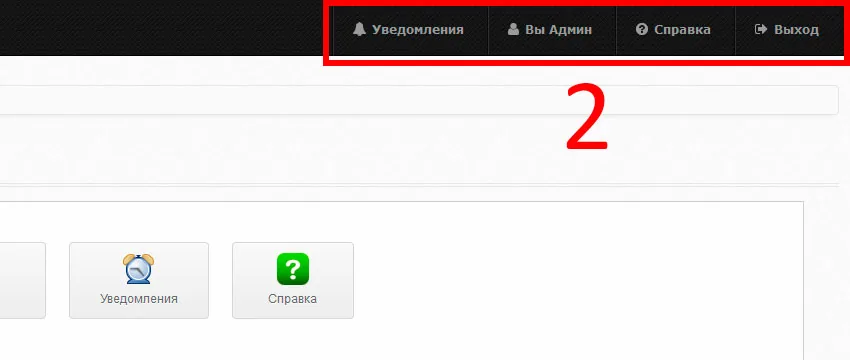
Like the quick access menu, it is present on every screen. It contains:
- Notifications — informs about new notifications and lets you read them.
- You — opens access to the employee’s profile.
- Help — takes you to the help section.
- Log out — the button for logging out of the active account.
3. Control panel
Shows every tool of the system the user has access to. The tools are grouped into categories. There are six of them:
- Main — holds the Statistics, Profile, KPI, Notifications and Help sections.

- Sales department — holds the Orders, Contacts and Online orders sections.

- Miscellaneous — holds the Purchasing, Workshop, Logistics, Warehouse and Goods positions sections.

- Management — holds the HR department, Cash desks, Payroll, Tasks, Reports and Call recording sections.

- System — holds the Services in models, Privileges, Print form, Modules and Licence sections.

- Reference books — holds the Devices, Brands, Models, Services, Parts, Goods, Cities, Offices, Cash desks, Warehouses, Financial item group and Financial items sections
