# Control panel
> Documentation on the WorkPan control panel. The basics for getting started
https://workpan.com/en/doc/control-panel/
Published: 2018-11-28
Updated: 2026-09-11
---
The **control panel** is part of the WorkPan user interface. Through it the user reaches the tools the CRM system provides. It holds three active working areas:

### 1. Quick access menu
A menu present on every screen, holding all the quick and frequently used links to other pages of the system.
It contains shortcuts to:
- Orders — lets you create a [new order](https://workpan.com/en/doc/sozdanie-novoy-zayavki/), view [all orders](https://workpan.com/en/doc/prosmotr-vsex-zayavok/) and online orders.
- Purchasing — takes you to the [parts purchasing](https://workpan.com/en/doc/zakupka-vse-zadachi-obzor-paneli/) section, where you can see the details of orders that need consumables bought: order number, the part required, order date, device model, the buyer responsible, the service centre and the purchasing status.
- Workshop — takes you to the [repair workshop](https://workpan.com/en/doc/panel-masterskoy/) section, where repair statuses can be viewed by date, along with the device model, repair type, technician and service centre.
- Logistics — takes you to the logistics section, which manages the couriers delivering devices to the service centre or to the owner. Pickup and delivery can be tracked.
- Goods — takes you to the warehouse section, which holds all created [warehouses](https://workpan.com/en/doc/spravochnik-skladov/) with their balance and attached service centre, and to the goods positions section, where all [goods](https://workpan.com/en/doc/spravochnik-tovarov/) in stock are sorted by warehouse, quantity, price and item.
- Management — takes you to the HR department, [Cash desks](https://workpan.com/en/doc/spravochnik-finansovyix-kass/), Payroll, Tasks, Reports and Call recording sections.
- System — takes you to the [Services in models](https://workpan.com/en/doc/upravlenie-uslugami-v-modelyax/), Privileges, Print form and Modules sections, and opens the list of Reference books.
### 2. Information panel
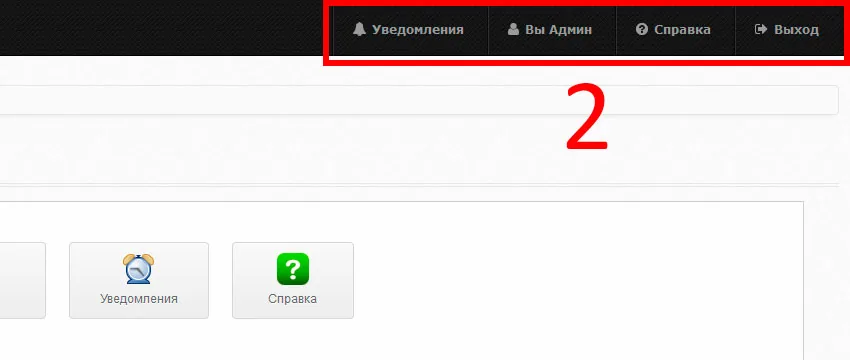
Like the quick access menu, it is present on every screen. It contains:
- Notifications — informs about new notifications and lets you read them.
- You — opens access to the employee’s profile.
- Help — takes you to the help section.
- Log out — the button for logging out of the active account.
### 3. Control panel
Shows every tool of the system the user has access to. The tools are grouped into categories. There are six of them:
- **Main** — holds the Statistics, Profile, KPI, Notifications and Help sections.

- **Sales department** — holds the [Orders](https://workpan.com/en/doc/prosmotr-vsex-zayavok/), Contacts and Online orders sections.

- **Miscellaneous** — holds the [Purchasing](https://workpan.com/en/doc/zakupka-vse-zadachi-obzor-paneli/), [Workshop](https://workpan.com/en/doc/panel-masterskoy/), Logistics, [Warehouse](https://workpan.com/en/doc/spravochnik-skladov/) and [Goods positions](https://workpan.com/en/doc/spravochnik-tovarov/) sections.

- **Management** — holds the HR department, [Cash desks](https://workpan.com/en/doc/spravochnik-finansovyix-kass/), Payroll, Tasks, Reports and Call recording sections.

- **System** — holds the [Services in models](https://workpan.com/en/doc/upravlenie-uslugami-v-modelyax/), Privileges, Print form, Modules and Licence sections.

- **Reference books** — holds the [Devices](https://workpan.com/en/doc/spravochnik-tipov-ustrojstv/), [Brands](https://workpan.com/en/doc/spravochnik-brendov/), [Models](https://workpan.com/en/doc/spravochnik-modelej/), [Services](https://workpan.com/en/doc/spravochnik-uslug/), [Parts](https://workpan.com/en/doc/spravochnik-detalej/), [Goods](https://workpan.com/en/doc/spravochnik-tovarov/), [Cities](https://workpan.com/en/doc/spravochnik-gorodov/), [Offices](https://workpan.com/en/doc/spravochnik-ofisov/), [Cash desks](https://workpan.com/en/doc/spravochnik-finansovyix-kass/), [Warehouses](https://workpan.com/en/doc/spravochnik-skladov/), [Financial item group](https://workpan.com/en/doc/spravochnik-grupp-finansovyix-statej/) and [Financial items](https://workpan.com/en/doc/spravochnik-finansovyix-statej/) sections
